Edit Perk
Need to change a perk's details after creating it? Here's how to edit perk settings.
How to Edit a Perk
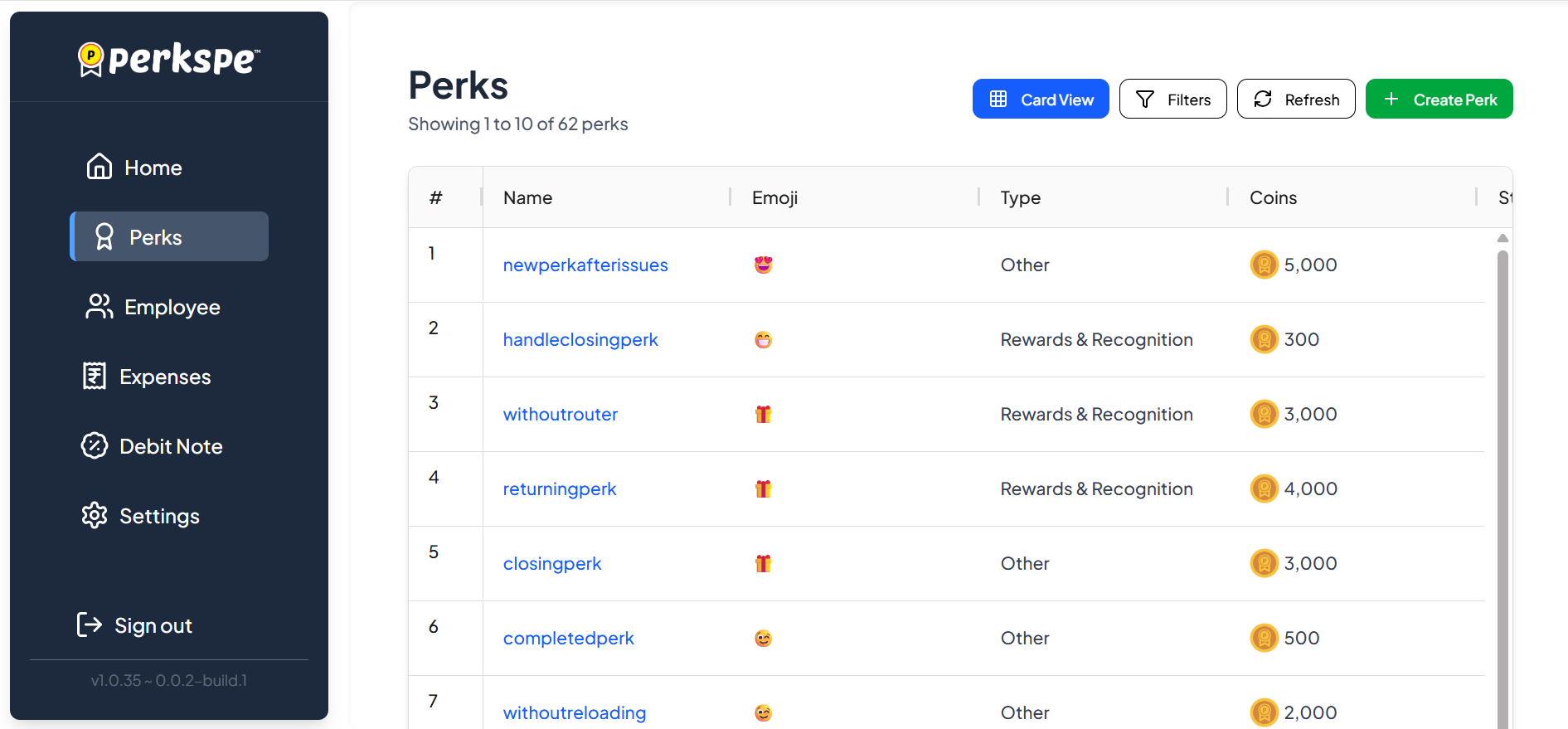
Step 1: Go to Perks
From the sidebar, click Perks.
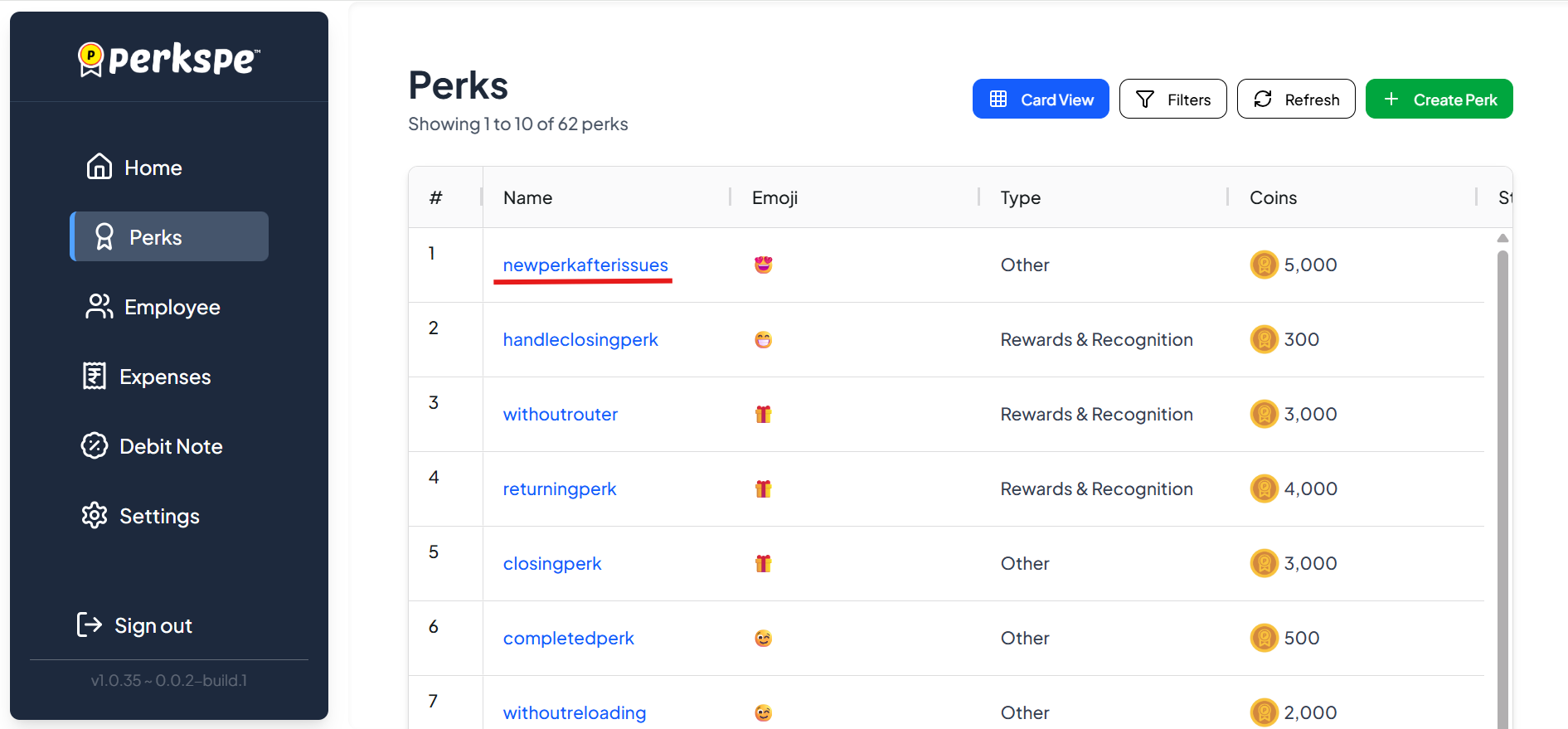
Step 2: Select the Perk
Click on the perk you want to edit.
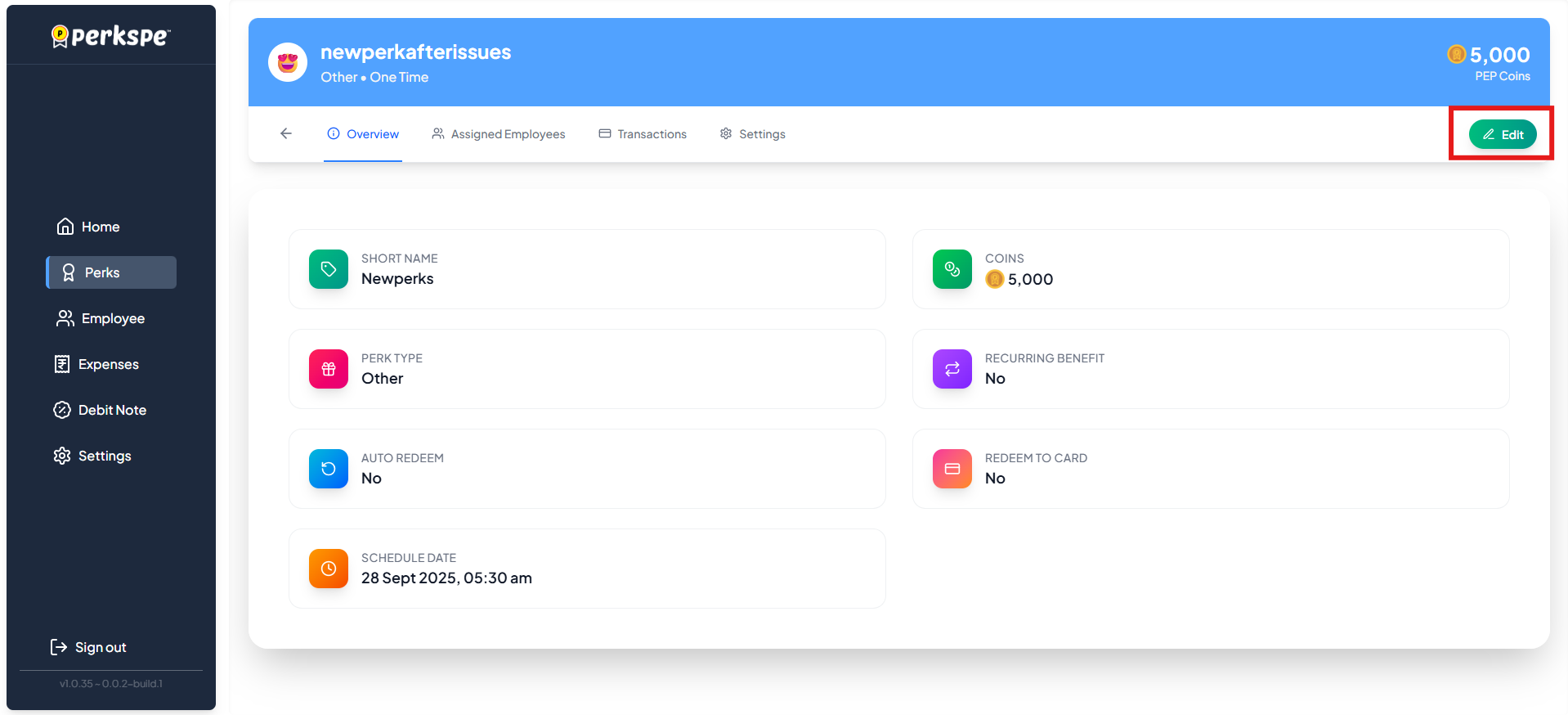
Step 3: Click Edit
Click the Edit button.
What You Can Edit
| Field | Description |
|---|---|
| Short Name | Change the abbreviated name |
| Coins | Update the PEP Coin value |
| Start Date | When the perk becomes active |
| End Date | (Optional) When the perk expires |
For Recurring Perks
If the perk is set to recurring, you can also edit:
| Field | Description |
|---|---|
| Recurring Day | Which day of the month the perk is credited (1–31) |
| Recurring Months | Which months the perk is active |
Save or Cancel
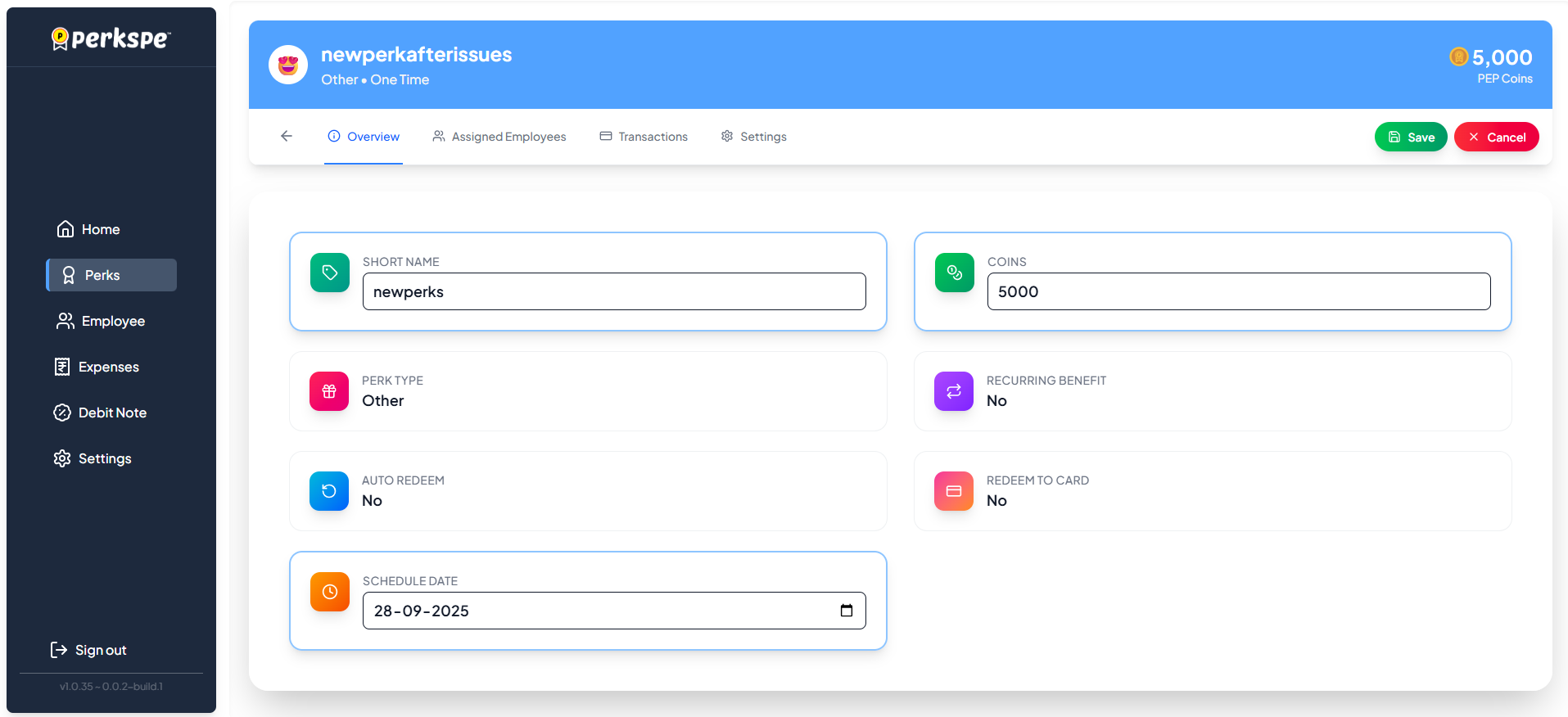
- Click Save to apply your changes
- Click Cancel to discard changes
note
Changes to recurring schedules will take effect from the next scheduled occurrence.